Localist had long been trusted by colleges and universities as a white-label events calendar platform, but as competition in event management software intensified, growth depended on moving beyond single-event listings into higher-value use cases—specifically, full-scale conference websites. What started as a sales blocker became an opportunity to reposition the product for institutional growth.
The Sales team surfaced a recurring obstacle: prospective clients wanted to use Localist for academic conferences, symposiums, and multi-day events but the platform wasn’t built for it. Existing customers were forced to use manual workarounds to stitch together session pages. The friction-heavy experience frustrated existing customers and became a deal breaker for prospective buyers.
Localist’s product had evolved incrementally over the years—features layered on top of features without systemic re-evaluation. The interface had become bloated and rigid. The core event creation flow was optimized for standalone events, required excessive data entry and didn’t scale to multi-session programming.
For conference organizers, the cognitive load was too high and the workflow too fragmented. The platform had a reputation for being “fine for events, but not built for conferences.” Without intervention, Localist would continue losing higher-value contracts to competitors offering dedicated conference tools.
I initiated rapid stakeholder workshops with Sales, Customer Success, and Engineering to define:
A heuristic review of the event creation workflow revealed:
Using low-fidelity wireframes and interactive prototypes, I tested streamlined flows early, validated session nesting structures and reduced unnecessary configuration steps.
Design decisions were grounded in reducing friction, not adding surface-level features.
The new design delivered:
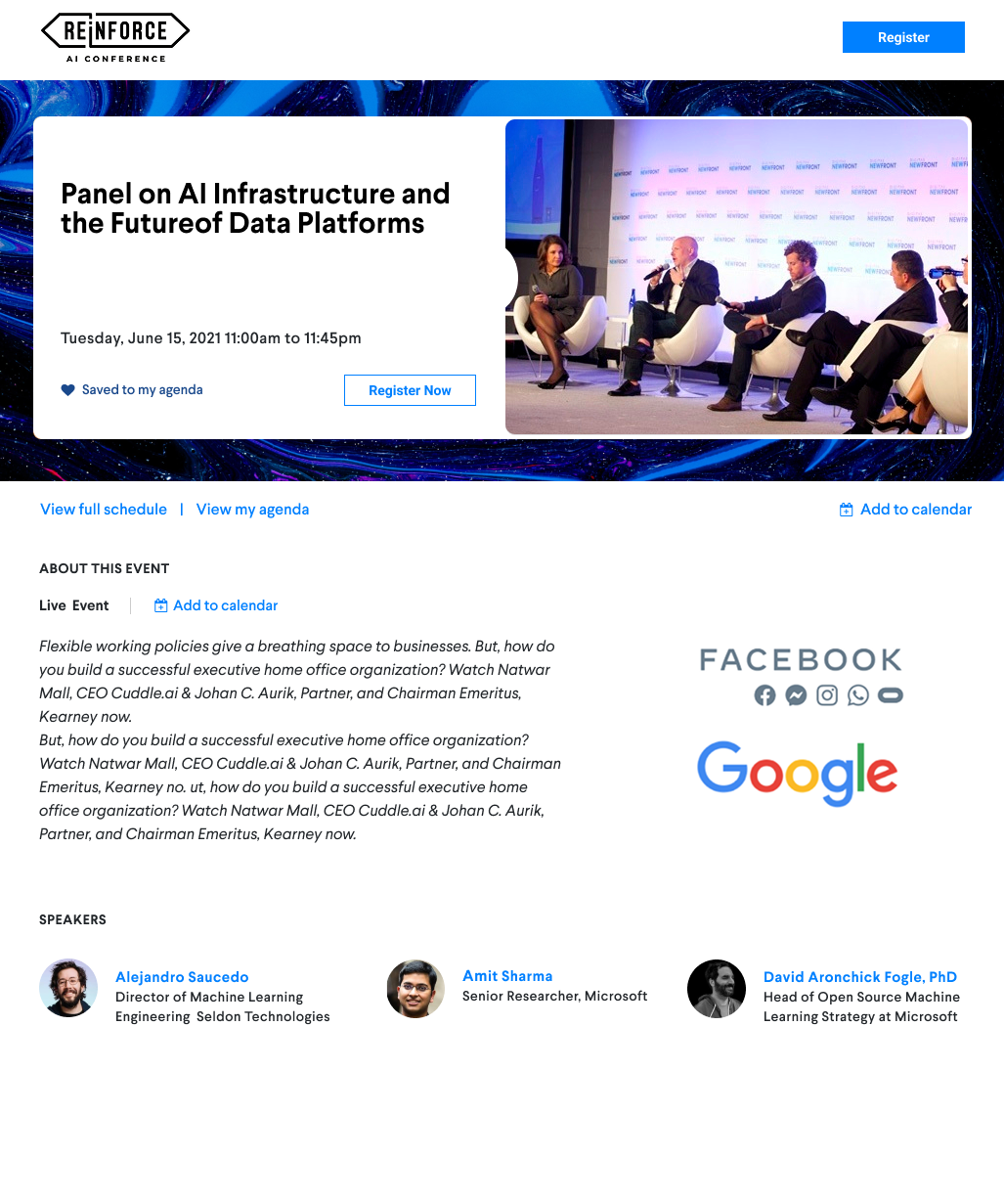
Large conferences require more than a simple event listing. This new conference experience allows organizers to create a centralized hub for schedules, speakers, and updates—turning Localist into a platform capable of supporting an organization’s most important events.

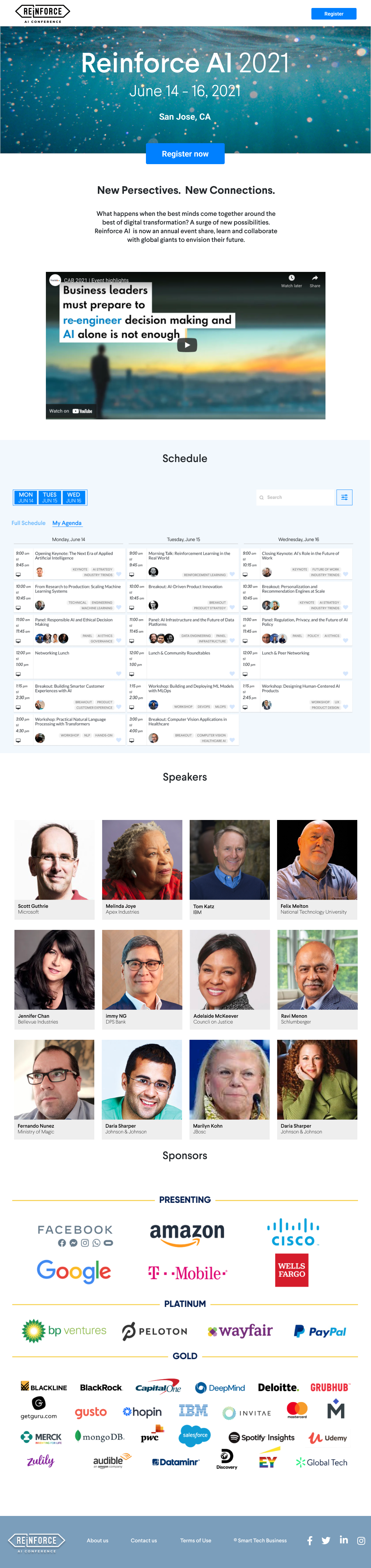
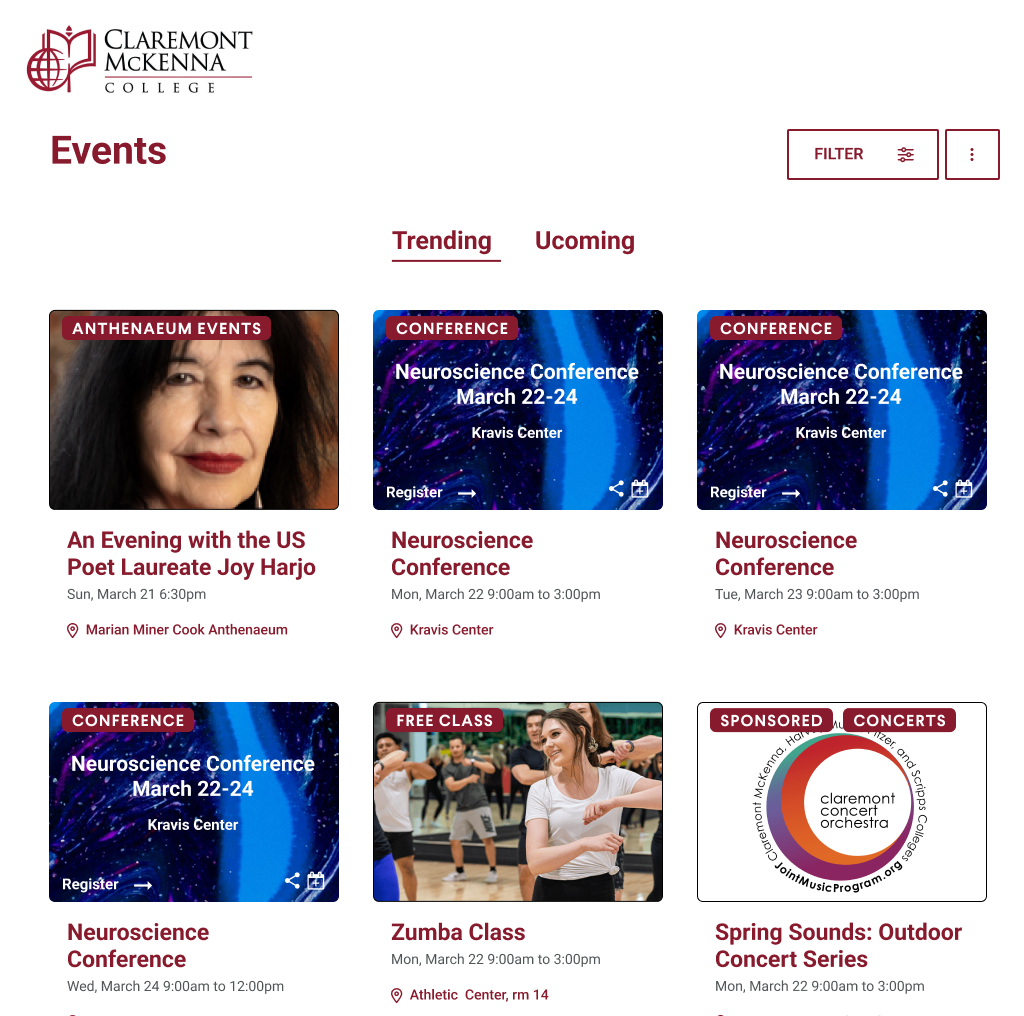
With new support for multi-day events, institutions can now accurately represent conferences, festivals, and extended programs while aggregating events from across departments into one searchable, social-ready calendar.
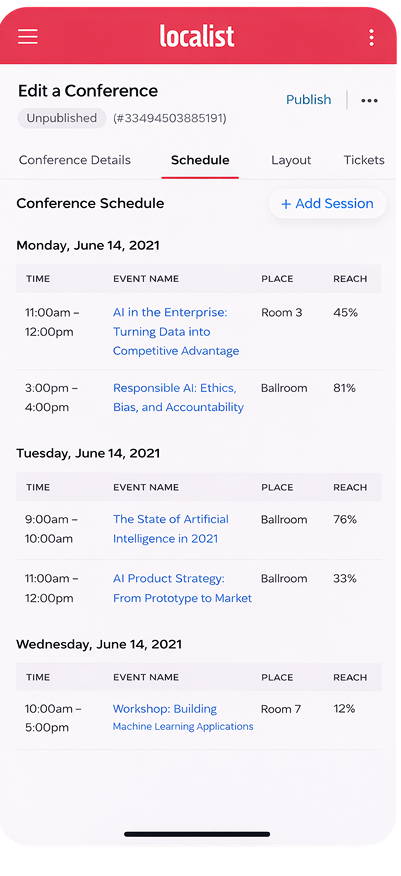
A streamlined admin interface allows organizers to create and manage multi-day event structures on any device, making complex setup feel intuitive and efficient.

While the feature shipped in under 90 days—a major cross-functional win!—post-launch analytics revealed an important gap. A segment of users continued using the old workflow. The issue wasn’t usability—it was discoverability. This reinforced a critical lesson: Shipping a feature isn’t enough. It's critical to continue to monitor user behavior. Adoption requires ongoing iteration, onboarding design, and product storytelling.
A critical factor in our success was close collaboration with engineering to architect a solution that leveraged existing system components. Given resource constraints and the absence of a mandate for full-scale refactoring, we focused on extending the current framework rather than overhauling the core architecture. This approach allowed us to introduce new functionality without destabilizing dependent workflows or creating regression risks within the broader product ecosystem.
We introduced important new functionality and utilized best practices to make the user experience feel as intuitive as possible, including: parent-child conference framework, nested session builder, progressive disclosure UI and conference website templates.
Strategically, this expansion enabled Localist to support enterprise-level conference clients, grow average contract value, and enter new institutional markets.
.svg)
